Moving photos and documents from an Android phone to a Mac should be easy. In practice, it is often confusing. Two apps show up again and again: OpenMTP and Android File Transfer (AFT). Here is the short version: OpenMTP is a free, open-source app with a clear two-pane layout. Android File Transfer is a very basic utility that many people used in the past—but Google no longer supports or offers AFT for macOS, so results on modern Macs are mixed. 9to5Google
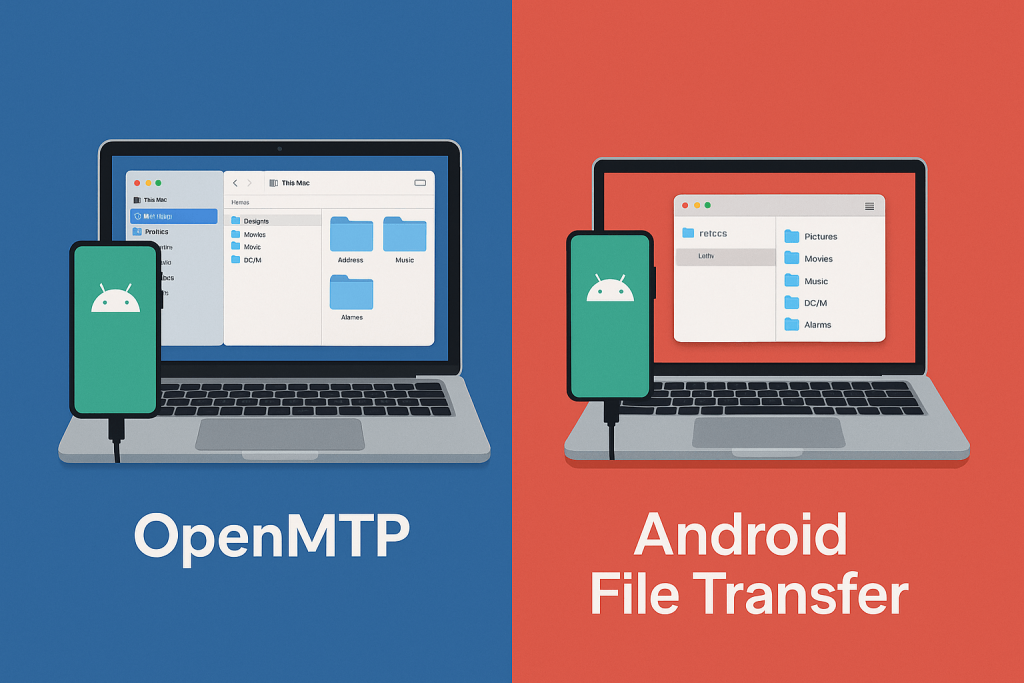
What these apps do
Both tools connect your Android phone to a Mac over USB so you can browse, copy, and delete files.
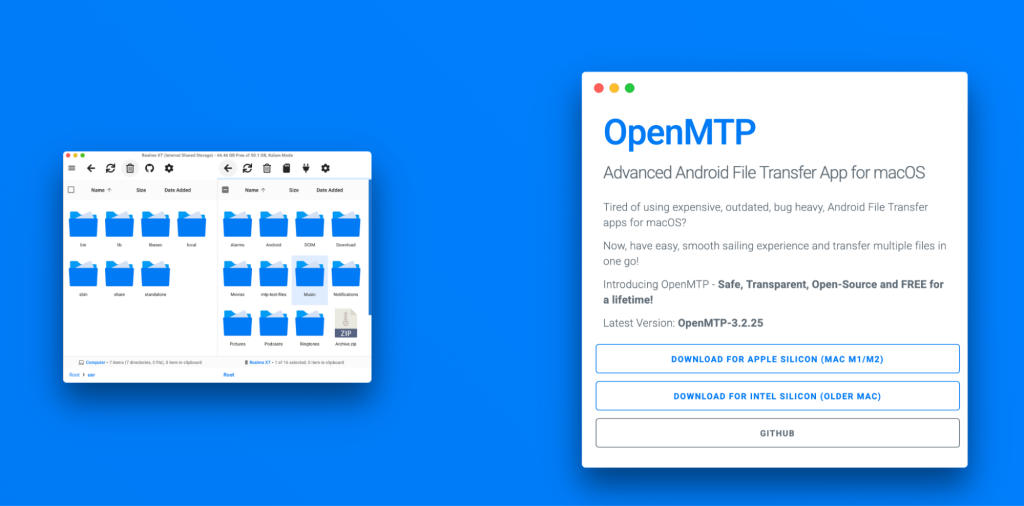
OpenMTP shows your Mac on one side and your phone on the other in a classic dual-pane window. It is open source and free. OpenMTP
Android File Transfer (AFT) opens a small window with a simple folder view for drag-and-drop. It used to be Google’s official Mac utility, but the download was removed and it is no longer maintained.
Setup and first run
OpenMTP. Download it from the official website or GitHub, install, and connect your phone with a data-capable USB cable. Unlock the phone and choose File transfer (MTP) if prompted. The two-pane window appears and you can start dragging files.
AFT. When it was available, setup was install → plug in → a small browser window. Because Google pulled the macOS download, many users now switch to other tools instead of AFT.
Common gotchas. Bad or “charge-only” cables, a locked screen, or not selecting MTP will block transfers. Google’s help pages say to unlock the phone, connect by USB, then pick File transfer under “Use USB for.” If things fail, try another cable or port. Support Google
Head-to-head: what you’ll notice
Speed and reliability
AFT: Fine for a handful of small files when it works, but big folders can be unreliable, and with the app no longer supported by Google, fixes are unlikely.
OpenMTP: Built for everyday use and batch copies; it tends to be steadier for medium and large transfers.
Verdict: OpenMTP for day-to-day transfers in 2025.
Usability and design
AFT: One plain list view with almost no controls.
OpenMTP: Dual-pane file manager with queue/replace/skip prompts that make batch moves easier.
Verdict: OpenMTP is simpler for organizing and moving many files.
Finder workflow
AFT: Always a separate, minimal window; no previews.
OpenMTP: Still a separate app, but the two-pane layout makes drag-and-drop feel natural and quick.
Verdict: OpenMTP.
Features
AFT: Browse/copy/delete only.
OpenMTP: Queue and conflict handling, large-file focus, and access to SD card storage when the phone exposes it.
Verdict: OpenMTP has more of what most people need. GitHub
Compatibility & updates
AFT: No longer supported by Google and hidden/removed from Android.com. Future compatibility is uncertain. 9to5Google+1
OpenMTP: Open source with ongoing releases on GitHub, including recent versions for modern macOS.
Verdict: OpenMTP for 2025 and beyond.
Privacy and safety
Both apps run locally over USB with your permission. Always download from official or trusted pages (OpenMTP website/GitHub; avoid random mirrors for old AFT installers).
Verdict: Draw.
Pricing and value
AFT: Free, but unsupported. Use only if it’s already on your Mac and still works for tiny jobs. support.google.com
OpenMTP: Free and open source, with a smoother day-to-day experience for regular transfers. openmtp.ganeshrvel.com
Quick rule: once-in-a-while tiny copies → AFT (if it still runs). Weekly or larger transfers → OpenMTP.
Real-world scenarios
- Creator with lots of photos/4K video. OpenMTP’s queue and steadier behavior save time when you copy big folders.
- Student moving PDFs/music sometimes. Either can work, but OpenMTP is safer today because it’s maintained.
- You need SD card access. OpenMTP can show it when your phone exposes the card over MTP.
- AFT will not open on your Mac. Switch to OpenMTP or a maintained alternative; AFT is no longer offered by Google.
Quick troubleshooting
Try a data-capable USB-C/USB-A cable and a different port. Unlock the phone; select USB → File transfer (MTP); close Android Studio or OEM tools that may “grab” USB; accept any prompts on the phone; unplug/replug; try smaller batches; and if needed, restart both devices. These steps match Google’s USB guidance.
Good alternatives
- Samsung Smart Switch for Galaxy-to-Galaxy moves and backups.
- Quick Share for Windows to share files between Android and a Windows PC with an official Google app.
- Cloud options like Google Photos or Google Drive for simple wireless uploads (watch storage and data).
- Finder-mount apps (for example, tools that mount the phone like a disk) if you want a more “Mac-native” feel.
Verdict
- Pick OpenMTP for a free, reliable, and user-friendly way to move files on Mac in 2025. It is open source, actively updated, and better for batches.
- Pick Android File Transfer only if it’s already installed and still works for tiny copies – and remember that Google no longer supports Android File Transfer for macOS.
If you outgrow OpenMTP, look at Finder-mount tools, Smart Switch for full phone moves, or Quick Share for Windows PCs. The key is to use a maintained, official, or well-supported option so your transfers stay simple.